Helping students and parents prepare for the final exams period
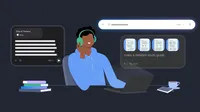
For millions of students in Europe, the Middle East, and Africa, a familiar hum is filling libraries and kitchen tables: exam season is here. Whether you’re a university student tackling a thesis or a student prepping for your first big finals, we understand the hard work it takes to pull everything together for that last stretch.
At Google, we’re committed to helping students—and the parents supporting them—navigate school with focus and confidence. Our tools are built responsibly to ensure digital learning is effective, safe and age-appropriate. Here are five ways Google and YouTube are helping you finish the school year strong.
1. Put all your materials in one place
Stop managing endless tabs for every project or final. Notebooks in Gemini turn your handpicked sources into a study command center that remembers your progress and picks up exactly where you left off. You can create a dedicated notebook, then upload it all: lecture PDFs, photos of whiteboards, class notes and even past chat history from this semester. Notebooks in Gemini are currently available to all users who are 18+ with personal Google accounts.
2. Generate study guides
Once you upload your files, let Gemini do the heavy lifting. Gemini can distill hundreds of pages of raw notes into a logical, structured study guide or interactive quiz. There’s no need to waste time on what you already know: Tell Gemini to bypass the basics and dive deep into the most complex topics.
Upload your document, then try this prompt: Create a study guide based on my course materials for my exams.
3. Figure out what you still need to learn
Stress-test your knowledge by asking Gemini to create a custom practice quiz using your course materials. You can also use Gemini Live to explain a concept out loud and ask it to spot any gaps in your logic. Gemini can ask follow-up questions to test your knowledge and clarify any confusion, just like a study partner who’s already tackled the coursework.
Upload your document, then try this prompt: Create a quiz based on the course materials for my exam.
4. Master the logic, not just the answer
Guided Learning is there for those "I'm stuck" moments when a teacher or tutor isn’t. Rather than just giving the answer, it coaches you through, asking open-ended questions to help you build a deeper understanding of the "why" behind a problem.
It’s also great for parents to use with their kids to brush up on concepts they haven’t practiced in years. If your student is struggling with algebra, walk through the problems together—letting Guided Learning provide the step-by-step logic while you provide the encouragement.
5. Use YouTube intentionally, with timers & parental controls
YouTube is a great place to understand a complex topic or learn something new. In fact, more than 74% of European teens use it weekly to help with schoolwork.
To help you stay focused, we have tools to manage your screen time. Set Take a Break or Bedtime reminders to keep your study sessions on track. You can even turn the Shorts feed off completely to avoid distractions with the new Shorts feed limit.
Parents can now set the amount of time spent scrolling Shorts—including setting the timer to zero.

For parents, you can manage all of these settings for your family through a supervised account. It only takes a few taps to find the right balance for your teen.
Whether you use YouTube for homework help or to unwind after, these tools put you in control of your time online.
Our commitment to safe learning
We believe technology should empower, not overwhelm. That’s why we’ve partnered with educators and learning science experts to ensure our AI tools are built responsibly. By involving students and teachers in the development and testing process, we ensure these tools meet the real-world needs of today's learners while maintaining a safe, supervised environment for families.
Whether you’re deconstructing a complex theory or helping your child master long division, we’re here to help you cross the finish line.
Important notes:
Age Requirements: Access to Gemini and NotebookLM varies by account type. Personal Google Accounts are for users 18+.
AI Limitations: Check responses. Gemini is a creative collaborator; always cross-reference its output with official course materials.